BoldTrail (formerly kvCORE) is a powerful platform, but most agents never get it set up correctly.
This package includes professional setup of your website and key BoldTrail features, so your branding, reviews, service areas, calls to action, Smart Campaigns, lead sources, and other core settings are configured correctly without the guesswork of trying to piece everything together yourself.
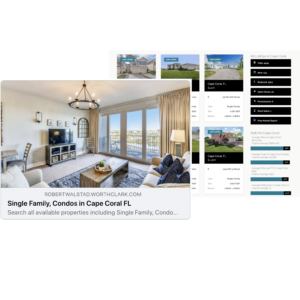
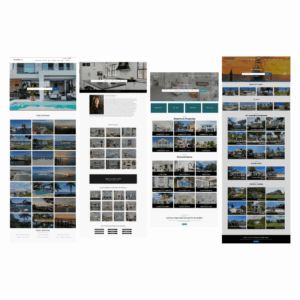
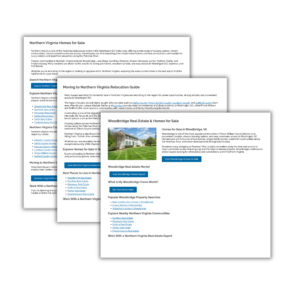
Live Example Sites
See real client website examples:
🔗 Example Site 1
🔗 Example Site 2
🔗 Example Site 3
Note: Some examples may include optional upgrades.
What Agents Are Saying
“Sandy was truly amazing. She knew exactly what was needed to set up my website and kvCORE. I did not have the time to get this done myself and she wrapped it up in a very timely fashion with fabulous results. Agents – DO NOT attempt to do this yourselves. Leave it to the pro – Sandy!”
—Tracy Diamond, eXp Realty Agent
What’s Included in Your Setup (Basic):
Homepage Setup & Branding
- Add selected homepage widget (standard, modern, luxury, or modern side by side)
- Add your personal logo to header/footer
- Add calls to action (market report, listing alerts, home value)
- Set header background image/video (video must be hosted on YouTube, video will not have sound and will not show on mobile)
- Configure up to 3 listing carousels
Agent Profile Setup
- Add agent photo
- Add your MLS ID to sync your listings
- Add social media links
- Add biography or embed an intro video (video must be on YouTube)
- Add email signature
Navigation
- Rename default tabs
- Add a link to your recruiting/careers page (if applicable)
Testimonials & Reviews
- Add up to 10 testimonials
- Configure Zillow reviews widget
Smart Campaigns & Alerts Activated
- Turn on default Buyer and Seller drip campaigns inside BoldTrail
- Activate Agent Alerts
- Activate Behavioral Alerts
Import Contacts & Sync Lead Sources
- Assist with importing contacts using BoldTrail’s Lead Configuration Service
- Set up Zillow sync
- Set up Realtor.com sync
Basic SEO Setup
- Set website title
- Set homepage meta description
- Add up to 15 Service Areas with keywords
Website & IDX Configuration
- Set template color theme (button color/accent color)
- Set website tagline
- Configure listing types shown
- Configure coverage only if you only want to show listings in specific counties on your website
- Set default way to sort listings on search page
- Set default way to display listings on search page
What This Means for Your Business
Your website will be set up correctly, giving you a solid foundation you can build on as your business grows.
Get your BoldTrail website set up correctly
Note: Services are based on features currently available within the BoldTrail platform and may vary by brokerage or system updates.